
Download Kin Calendar – Free Calendar App for Mac, Social Media Integration
Overview
Kin Calendar is a free, cloud‑based scheduling tool built specifically for busy professionals who live their lives across multiple social platforms. The app consolidates appointments, events, and tasks from Facebook, Google, Trello, Wunderlist, and other popular services into a single, colour‑coded view that can be filtered by day, week, or month. The core philosophy behind Kin Calendar is “one glance, one plan.” By pulling data directly from the social accounts you already use, the calendar eliminates the need to manually copy‑paste events, reducing the risk of double‑booking and missed meetings.
Its intuitive drag‑and‑drop interface lets you rearrange appointments in seconds, while a robust set of customisation options—such as colour‑coded categories, user‑defined groups, and personalized reminders—ensure that the visual layout matches your workflow. Because it runs exclusively on macOS, Kin Calendar leverages native Apple technologies for smooth performance, quick sync, and secure data handling. Whether you’re a freelancer juggling client calls, a project manager coordinating Trello boards, or a social media influencer tracking live events, Kin Calendar promises a seamless bridge between your digital life and your calendar.
The free‑to‑download model removes any financial barrier, while optional premium add‑ons (like advanced analytics and AI‑driven scheduling suggestions) are available for users who need extra power. In short, Kin Calendar is more than just a date‑keeping app; it’s a central hub that keeps every commitment visible, editable, and actionable from the moment you open it.
Key Features of Kin Calendar
- Unified Social Media Sync: Automatic import of events from Facebook, Google Calendar, Trello, and Wunderlist.
- Colour‑Coded Categories: Assign custom colours to personal, work, or project‑related appointments for instant visual recognition.
- Drag‑and‑Drop Rescheduling: Move events across days or weeks with a single mouse gesture.
- Custom Groups & Tags: Create hierarchical groups (e.g., “Team A → Marketing”) and tag events for advanced filtering.
- Smart Reminders: Push notifications, email alerts, and macOS alerts can be set per event or per category.
- One‑Click Export/Import: Export your Kin Calendar data to iCal, CSV, or PDF, and import external calendars with minimal effort.
- Secure Cloud Sync: End‑to‑end encryption ensures your data stays private while syncing across devices.
- AI‑Powered Suggestions (Premium): The optional AI module analyses your habits and proposes optimal meeting times.
- Offline Mode: Access and edit your calendar without an internet connection; changes sync automatically when you’re back online.
- Mac‑Optimised Performance: Built with Swift and Apple’s native frameworks for fluid animations and low memory footprint.
Each of these features is designed with a specific user pain point in mind. For example, the unified social media sync eliminates the tedious step of manually adding a Facebook event to a separate calendar, while colour‑coded categories let you glance at a day’s agenda and instantly recognise which commitments belong to which project. The drag‑and‑drop interface mirrors the familiar behaviour of moving files in Finder, making the learning curve virtually non‑existent.
Moreover, the secure cloud sync gives peace of mind to users concerned about data privacy, especially when the app pulls information from multiple platforms. Even the premium AI suggestions are optional, meaning the free version remains fully functional for anyone who simply needs a reliable, all‑in‑one scheduling hub. The combination of these capabilities positions Kin Calendar as a versatile, future‑ready tool for anyone who wants to stay organised without sacrificing flexibility.
Installation & Daily Usage Guide
Installing Kin Calendar on a Mac is straightforward and takes less than five minutes. Begin by visiting the official Kin Calendar website or the Mac App Store. Click the “Download Free” button, which initiates a secure HTTPS download of the .dmg installer.
Once the file finishes downloading, double‑click the .dmg to mount the disk image, then drag the Kin Calendar icon into your Applications folder. macOS may prompt you to confirm that you trust the developer; simply click “Open” to proceed. After installation, launch the app from Launchpad or the Applications directory. The first launch triggers an onboarding wizard that asks for permission to connect to your social media accounts.
Select the platforms you want to integrate—Facebook, Google, Trello, and Wunderlist are supported—and sign in using OAuth. The wizard automatically imports existing events and displays them in a unified view.
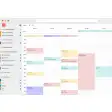
Daily usage revolves around three core actions: viewing, editing, and creating. The main dashboard presents a week‑at‑a‑glance grid with colour‑coded bars for each event. Clicking an event opens a detail pane where you can modify the title, description, location, and reminders.
To create a new appointment, click the “+” button in the top‑right corner, choose the appropriate category, assign a colour, and set the date and time. If the event originates from a linked platform, you can push changes back to the source (e.g., updating a Facebook event title will sync to Facebook automatically). For quick rescheduling, simply drag an event block to a new slot on the calendar; a subtle animation confirms the change, and the app instantly updates the connected service.
The settings menu offers deeper customisation: you can enable or disable specific integrations, adjust notification preferences, and configure backup frequency. Regular updates are delivered through the Mac App Store, ensuring you always have the latest security patches and feature enhancements without manual intervention.
For power users, Kin Calendar provides a “Quick Add” hotkey (Cmd + N) that opens a minimalist entry form, letting you add events without leaving your current application. Additionally, the “Search” bar at the top supports natural language queries such as “meeting with John next Tuesday at 2 pm,” and the app parses the request into a new calendar entry. With these installation steps and daily workflows, Kin Calendar becomes an invisible assistant that keeps your schedule up‑to‑date, organised, and accessible across all your favourite platforms.
Compatibility, Pros & Cons
Kin Calendar is currently built exclusively for macOS (10.14 Mojave and later). The developers have focused on leveraging Apple’s native APIs to deliver a fluid, low‑latency experience, which means Windows and Linux users cannot run the application natively. However, macOS users benefit from deep system integration, including native notifications, Touch Bar support, and iCloud backup. For users who need cross‑platform access, Kin Calendar offers a web portal that mirrors most core functionalities, though the web version lacks the full suite of customisation options available in the desktop client.
Pros
- Seamless integration with major social platforms eliminates duplicate data entry.
- Highly customisable colour‑coding and grouping system for visual clarity.
- Free core version provides robust scheduling features without hidden fees.
- Mac‑native performance ensures smooth animations and low CPU usage.
- Secure end‑to‑end encryption protects personal and professional data.
- AI‑driven suggestions (optional) help optimise meeting times based on past behaviour.
Cons
- Limited to macOS; Windows and Android users cannot install the native app.
- Reliance on third‑party OAuth means occasional re‑authentication prompts.
- Advanced AI features are locked behind a paid subscription.
- Web version lacks some of the deep customisation options of the desktop client.
- Sync speed depends on the latency of connected services (e.g., Facebook API limits).
Overall, the compatibility focus on macOS results in a polished user experience for Apple enthusiasts, while the lack of native Windows support may deter a broader audience. The pros heavily outweigh the cons for Mac users who need a unified view of their social‑media‑driven appointments. The free tier already covers most daily scheduling needs, and the optional premium upgrades provide a clear upgrade path without imposing on users who prefer to stay on the free plan.
Conclusion & Call to Action
Kin Calendar stands out as a purpose‑built, free scheduling hub for Mac users who juggle appointments across multiple social networks. Its ability to pull events from Facebook, Google Calendar, Trello, and Wunderlist into a single, colour‑coded interface saves time and reduces the mental load of switching between apps. The intuitive drag‑and‑drop design, robust reminder system, and optional AI‑driven insights make it a powerful ally for freelancers, project managers, and anyone who needs to stay organized in a fast‑paced digital world. While the lack of Windows support limits its reach, the macOS‑only focus ensures a smooth, secure, and highly responsive experience that feels native to Apple devices. If you’re ready to consolidate your busy schedule, eliminate duplicate entries, and gain a clearer visual overview of your commitments, Kin Calendar is the tool to download today.
Ready to get organized? Click the button below to download Kin Calendar for free, connect your favorite social platforms, and start managing your appointments with confidence.
Frequently Asked Questions
Is Kin Calendar really free?
Yes, the core version of Kin Calendar is completely free. You can sync social platforms, create events, and use colour‑coding without any charge. Premium features such as AI scheduling suggestions are optional and require a subscription.
Which social media platforms can I connect?
Kin Calendar currently supports Facebook, Google Calendar, Trello, and Wunderlist. New integrations are added periodically based on user demand.
Can I use Kin Calendar on Windows or Android?
A native Windows or Android app is not available at this time. However, a web portal provides limited functionality on any browser, and you can access your calendar from mobile browsers.
How secure is my data?
Kin Calendar uses end‑to‑end encryption for all data stored in the cloud. Authentication with social platforms is handled via OAuth, and no passwords are stored on Kin’s servers.
Do I need an Apple ID to use Kin Calendar?
Yes, because the app is distributed through the Mac App Store, an Apple ID is required for download and automatic updates.



.png)



